
Export a smaller MP4 on a Mac
Set a 1 MB target for the MKV sample, then check the size of the exported MP4.
Before you start
Install MP4Flow and confirm that FFmpeg and ffprobe are ready under “Help → Check Dependencies…”. The synthetic sample below is 12 seconds long at 640 × 360.
Open Export Settings
Add a fresh copy of Patterns.mkv. Click the gear icon (Export Settings) for that video.
Set a 1 MB target
Turn on the switch next to Target Size, enter 1 MB, and click Apply Settings. A size target re-encodes the video and can reduce detail.
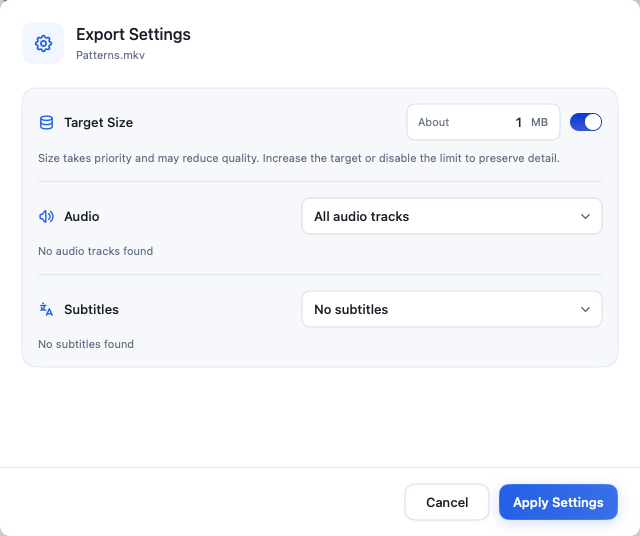
1 MB is the export target. Finder shows the actual file size. View full-size image Convert and locate the MP4
Keep the original resolution and click Start. Use Open Folder when the row shows Completed.
Check the result
Compare the original MKV and output MP4 in Finder using Get Info (⌘I). In this example, the input is about 3.03 MB and the output is about 0.97 MB. The target is approximate. If you have a strict upload limit, allow some margin and check the actual file before uploading.