
Convert MKV to MP4 on a Mac
Turn the 12-second MKV sample into a playable MP4 with Smart Convert.
Before you start
Install MP4Flow and confirm that FFmpeg and ffprobe are ready under “Help → Check Dependencies…”. The synthetic sample below is 12 seconds long at 640 × 360.
Add the MKV
Click Add Videos or drag Patterns.mkv into the conversion queue.
Keep the original resolution
Keep Smart Convert and Balanced. Select Original under Resolution and Source Folder under Output Location. Smart Convert copies compatible video when possible.
Convert and open the folder
Click Start. When the row shows Completed, click its folder icon (Open Folder).
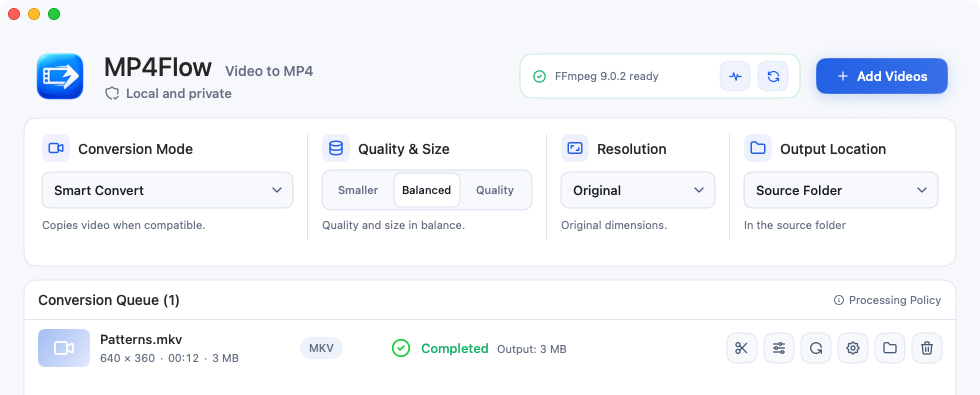
Completed means the MP4 is ready. The folder icon locates it in Finder. View full-size image
Check the result
Open Patterns-MP4FlowConverted.mp4. Check the .mp4 extension in Finder, then play the file and verify it is about 12 seconds long at 640 × 360.