Batch convert and compress WebP
Convert JPG, PNG, or GIF in batches. To shrink an existing WebP or GIF, set a target in KB per file.
 Any2WebP
Batch convert JPG, PNG, and animated GIF to WebP, or turn a video clip into a GIF. Compare the same frame before and after export. Free and open source, with all conversion on your Mac.
Convert JPG, PNG, or GIF in batches. To shrink an existing WebP or GIF, set a target in KB per file.
Turn a sequence of JPG or PNG images into an animation. Drag thumbnails to change the frame order.
Trim a clip from MP4, MOV, or WebM, then set the frame rate and output dimensions.
Reorder, delete, insert, or replace frames. Adjust the timing for one frame or the whole animation.
Use this demo to convert a single image to WebP.
The Mac app adds batch conversion, target-size compression, video to GIF, and frame editing.
Download the Mac appJPG, static PNG, or GIF, up to 16 MB. Your file stays in your browser.
WebP supports true color and partial transparency. GIF works with more older tools and platforms, with up to 256 colors per frame and binary transparency.
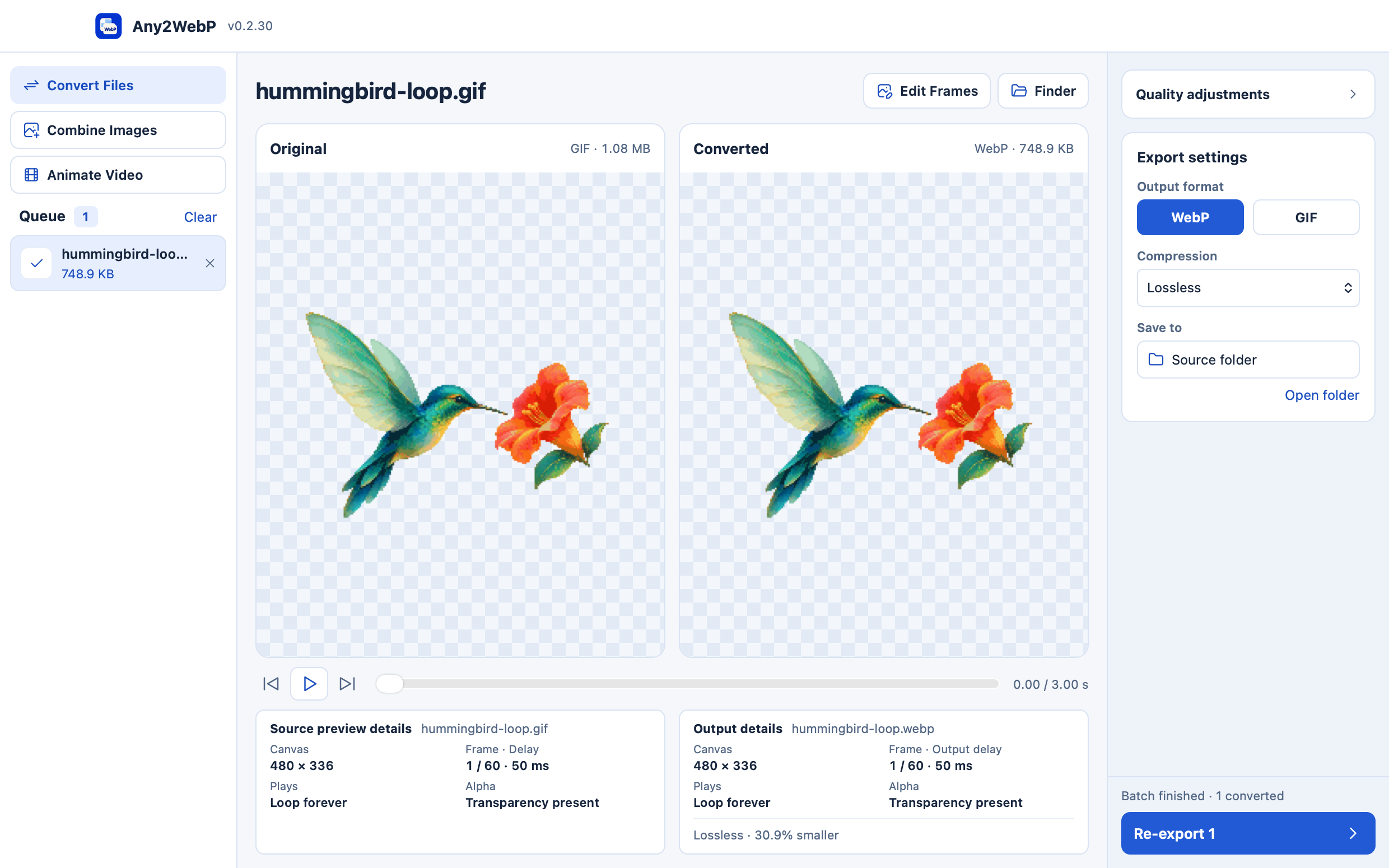
WebP vs GIF -334.5 KB (-30.9%). Any2WebP exported the Teal Hummingbird GIF as lossless WebP, preserving its 60 frames, transparent background, and 3-second loop.
Convert animated GIF to lossless WebP locally on Mac. Compare the output frame by frame and check transparency, delays, and loop count before sharing.
Batch compress WebP images and animations to a target in KB. Check the actual file size and compare the result with the original on your Mac.
Trim an MP4, MOV, or WebM on your Mac, set the frame rate and output dimensions, then export the clip as animated WebP or GIF in Any2WebP.
Combine a JPG or PNG sequence into an animated WebP or GIF on Mac. Arrange frames, set their timing, and preview the result in Any2WebP.
Open the DMG and drag Any2WebP to Applications. For video conversion, check FFmpeg and ffprobe in Help → Check Dependencies.
The current build is ad-hoc signed. It has no Apple notarization.