Choose the right grid
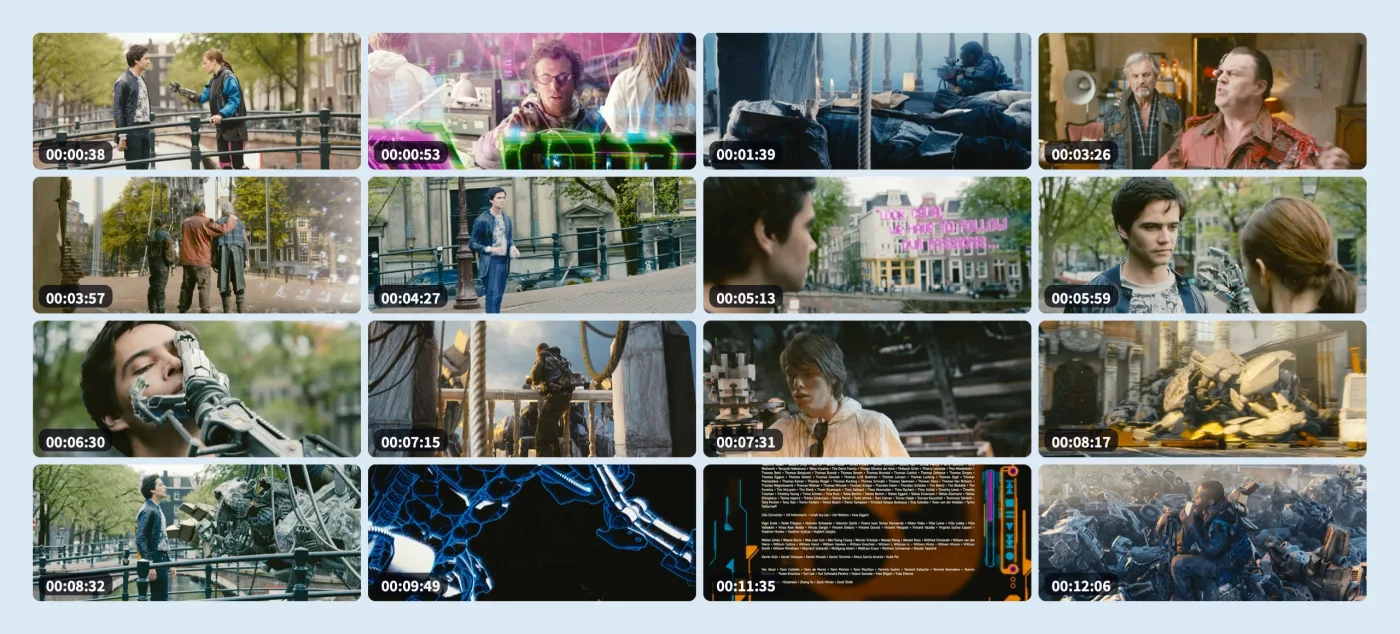
From 3 × 3 to 8 × 8, choose the amount of detail your video needs.
 ShotMap
VIDEO STORYBOARDS FOR MAC
ShotMap turns a video into one clear storyboard, so you can browse its important moments at a glance.
macOS 13+ · Apple Silicon & Intel · Free and open source
Demo screenshots use Tears of Steel (2012) © Blender Foundation / Blender Institute, licensed under CC BY 3.0.

A CLEARER WAY TO BROWSE
Drop in one clip, a few family videos, or a whole folder of footage.
Start with Smart Select, then adjust the exact frames when you want more control.
Choose the grid and export a clean PNG or JPG beside the original video.
SMART FIRST, PRECISE WHEN NEEDED
Smart Select gives you representative frames. The visual timeline, frame steps, and timecode field make a quick replacement feel natural.

BUILT FOR USEFUL RESULTS
From 3 × 3 to 8 × 8, choose the amount of detail your video needs.
Show timecodes and file names when they help you find a scene again.
Use the video’s aspect ratio, choose a background, and export PNG or JPG.
Keep a visible queue and create storyboards for multiple videos in one pass.
PRIVATE BY DESIGN
Frame analysis and export happen locally. There is no account, upload, cloud queue, or telemetry to set up.
INSTALL AND START
Download the latest release, move ShotMap to Applications, and open it. No account or command line is required.
Requires macOS 13 or later · Apple Silicon and Intel
GOOD TO KNOW
No. Reading frames and creating the final image happen entirely on your Mac.
ShotMap supports macOS 13 or later on Apple Silicon and Intel Macs.
Yes. Smart Select is a starting point; the manual frame picker lets you choose the moments yourself.
READY WHEN YOU ARE